
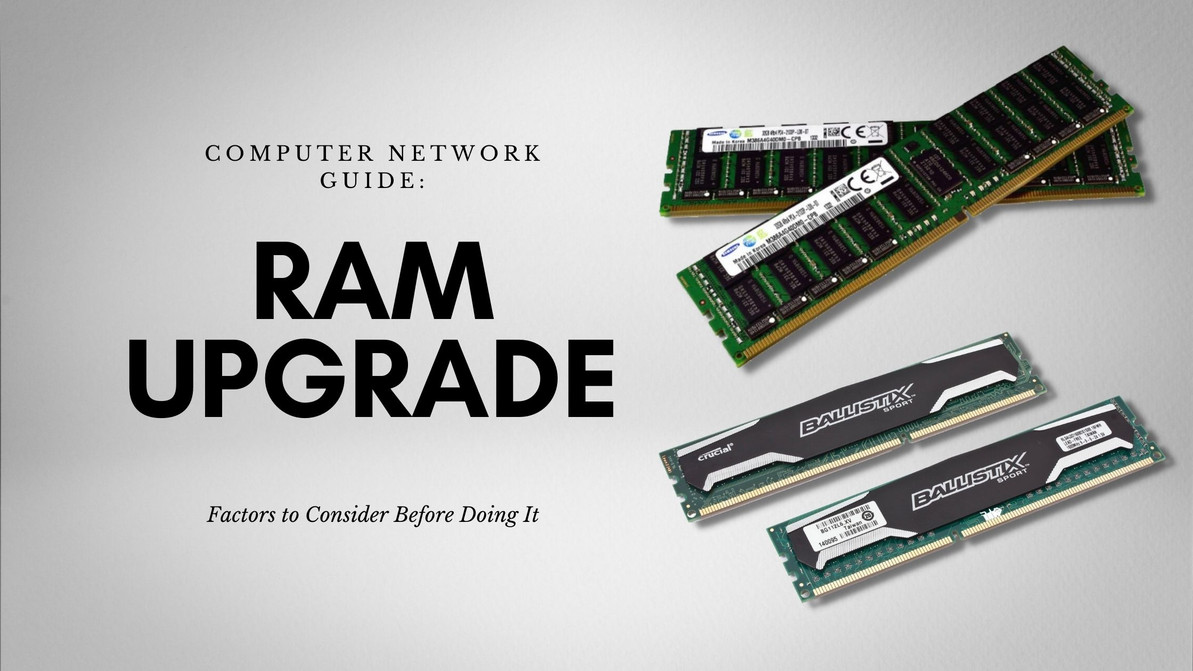
Network Guide: Factors to Consider Before Upgrading Your RAM
Adding more memory to your network setup is one way to boost performance and efficiency. Although the idea sounds simple, it is not as straightforward as you may think. You need to consider several upgrade limit factors before you decide about upgrading the computer storage device in your network setup.
Importance of Understanding Your Existing Computer Storage Device, RAM, and Maximum Capacity
You need to understand your network's current RAM and the maximum capacity of its computer storage devices. You also need to know the maximum RAM limits your setup can support.
You may do more harm than good if you end up with the wrong components when upgrading the memory of your network setup. Everything from the hardware to the software needs to be compatible to make sure that your system will keep running after the upgrade.
Factors to Consider for Memory Upgrades
Computer storage devices have limits in terms of the RAM that they can handle or support. You need to consider the following factors before upgrading your memory:
Memory Slots
You need to check the number of memory slots your hardware has before you consider a memory upgrade. Typically, motherboards have two to four memory slots available.
Dividing your RAM between multiple slots can reduce the stress on your network which in turn improves its performance. Your processors should have access to all available slots at the same time.
Operating System
You need to check if your operating system can still handle an upgrade. Your OS indicates the maximum upgradeable RAM it can accommodate.
Clock Speed
As mentioned previously, you need to make sure that every component in your setup is compatible. It includes clock speed. You need to make sure that your additional RAM is running at the same clock speed as your current computer storage device.
If you are planning to change your existing RAM to an entirely new set of RAM, you also need to make sure that your new RAM matches your processor's clock speed.
What happens if you use RAMs with mismatched clock speeds? If your added memory does not match the clock speed of your existing RAM, the processor has to wait until the RAM provides it with instructions. This additional step will delay or slow down your device which wastes computing time.
Bottomline
Memory upgrade involves adding RAM chips into your device. If done right, upgrading your memory comes with several benefits including better network performance, faster process, and more.
Upgrading your memory is one way to improve the performance of your business network setup. It can make transferring data, running programs, etc. faster which can improve the overall productivity in your office.
Recent Posts
-
Unlock 7.68TB of Lightning-Fast Read Power: The HPE P21145-B21 SAS 12Gb/s Smart Carrier SSD for ProLiant Gen9/Gen10
HPE’s P21145-B21 7.68TB 2.5-inch (SFF) Digitally Signed Firmware (DS) SAS 12Gbps Smart Carrier Read …Apr 16th 2026 -
The Silent Powerhouse: Why the HPE P10226-B21 is the NVMe SSD Your ProLiant Gen10 Server Has Been Waiting For.
HPE P10226-B21 6.4TB NVMe SSD: The Ultimate Storage Solution for ProLiant Gen10 Servers Introduction …Apr 15th 2026 -
Lightning in a Drive: Unleashing Extreme Performance with the HPE P13703-B21 6.4TB NVMe SSD
HPE P13703-B21 6.4TB NVMe SSD: High-Performance Storage for Modern ProLiant Gen10 Servers Introducti …Apr 14th 2026