
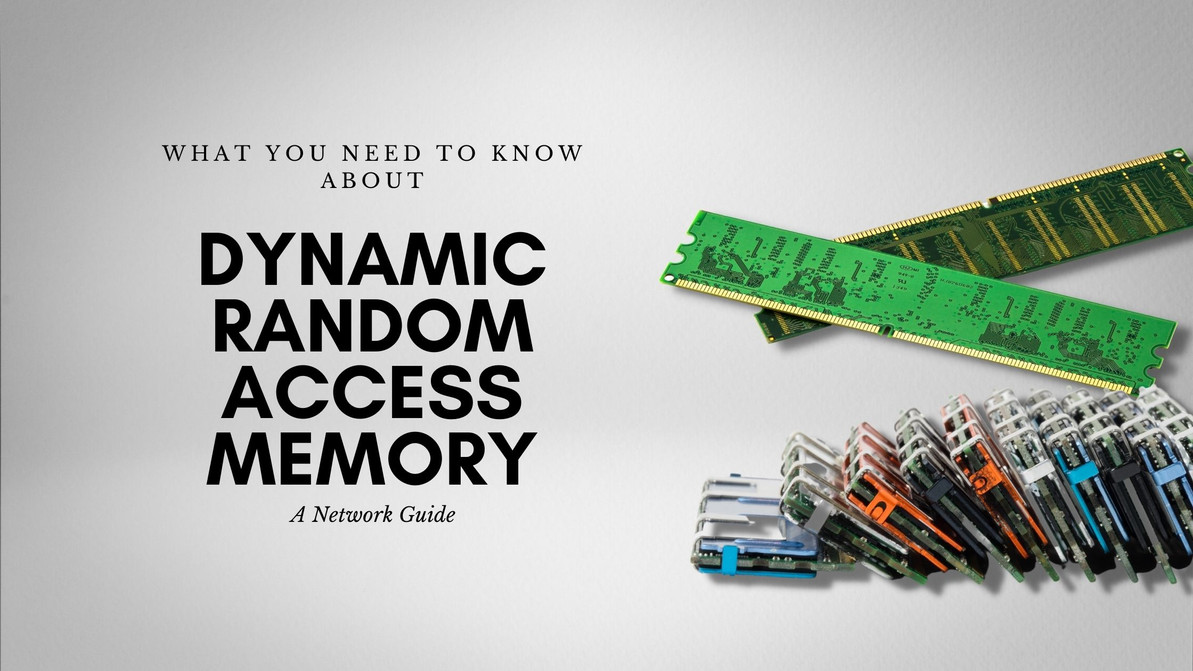
Network Guide: About Dynamic Random Access Memory
What is RAM (Random Access Memory)?
RAM is an important component of any computer system. It is the one that gives your system's applications a place to store their data which can be accessed at a later time. The memories of the applications running on your system use RAM and with this in mind, RAM is faster than any other disk-drives may it be an HDD (Hard disk-drives) or an SSD (Solid State Drives).
Now there are two types of RAM, namely: Static RAM (SRAM) and Dynamic RAM (DRAM). As for this article, we will be focusing solely on the DRAM.
What is DRAM (Dynamic Random Access Memory)?
Dynamic Random Access Memory, DRAM for short, is a much better memory chip compared to an SRAM in terms of capacity, albeit at the cost of higher power usage. Each DRAM cell stores a bit through the use of a transistor and a single paired capacitor. A single component pair can create a cell, with billions of them being able to fit in a single chip, DRAMs are capable of handling very high densities. DRAMs are highly volatile compared to their brother the SRAMs.
Each of the DRAMs cells need to be refreshed periodically as capacitors have the possibility of a power leak—this is one of its greatest disadvantages along with its high volatility compared to the SRAM. It is, however, simpler in design and costs lower than other alternatives.
What are the types of DRAM?
There are multiple types of DRAM, the oldest being the Double Data Rate 1, or DDR1 for short, and the latest being the Double Data Rate 4, or DDR4 for short since the DDR5 is yet to be released to the public. Depending on the version of the RAM, the pin count differs with each version. A DDR1 RAM has a total of 184 pins while a DDR2 and a DDR3 have a total of 240 pins and a DDR4 with a total of 288 pins.
Their voltages also differ. By default, a DRR1 consumes about 2.5 Volts, DDR2 consumes around 1.8 Volts, DDR3 at 1.5 Volts, and a DDR4 at 1.2 Volts. Additionally, different types of DRAM can have different clock speeds. What are “clock speeds,” you ask? Clock speeds are typically measured using megahertz; it is a measure of how many times the RAM can access its memory per second. Going back to their difference in frequencies, DDR1 can have a maximum clock speed of 400 MHz, DDR2 can have a frequency of 400 up to 800 MHz, DDR3 can have up to 3,200 Mhz, and a DDR4 can have up to an astounding 4,400 MHz.
DDR1 memory sticks are slowly becoming obsolete and are generally not being mass-produced as compared to the previous years since there are better alternatives nowadays.
Which is better, DRAM or SRAM?
If we are talking about the speed at which the memories are being accessed, SRAMs would, without a doubt, be better than DRAMs. Additionally, DRAMs are called dynamic due to the need to be refreshed periodically unlike SRAMs. So, where does the DRAM shine? It is cheaper to manufacture and has a greater memory capacity compared to the SRAM.
Recent Posts
-
Lightning-Fast Reads, Rock-Solid Reliability: Unleashing the Power of the HPE 877760-B21 1.92TB Enterprise SATA SSD
HPE 877760-B21 1.92TB SATA Read Intensive SSD: Enterprise Storage Solution for ProLiant Gen9 & Gen10 …Mar 19th 2026 -
Titan of Throughput: Unlocking Enterprise Power with the HPE P09693-B21 1.92TB SATA Read-Intensive SSD
HPE P09693-B21 1.92TB SATA Read Intensive SSD: Reliable Enterprise Storage for ProLiant Servers Intr …Mar 18th 2026 -
Smarter Storage for Enterprise Servers: HPE P04501-B21 1.92TB LFF Read Intensive SSD
HPE P04501-B21 1.92TB SATA Read Intensive SSD: Reliable Enterprise Storage for ProLiant Gen10 Server …Mar 16th 2026