

Understanding Hard Drives (HDD): Types, Features, Benefits, and Choosing the Right One
Hard drives, also known as HDDs, have been a staple in the world of computer storage for many years. They are mechanical devices that use magnetic discs to store data, and are widely used due to their low cost per gigabyte and high storage capacity.
In this article, we will explore the various aspects of HDDs, including their types, key features, and benefits. We will also provide some useful tips for choosing the right hard drive for your needs and for maintaining it for optimal performance.
Types of Hard Drives
HDDs can be divided into two main categories: internal and external. Internal hard drives are designed to be installed inside the computer and are commonly used as the primary storage device for the operating system and software. External hard drives, on the other hand, are portable and can be connected to a computer via USB or other means, allowing you to easily transfer data between computers or store backups.
Internal hard drives are available in two common form factors: 3.5-inch and 2.5-inch. The 3.5-inch drives are typically used in desktop computers, while the 2.5-inch drives are used in laptops and some high-performance desktop computers.
Key Features of Hard Drives
When choosing an HDD, there are several key features to consider, including:
- Capacity: This refers to the amount of data that can be stored on the hard drive. Hard drives are available in a range of capacities, from a few gigabytes to several terabytes. Larger capacities are more suitable for users who need to store a lot of data, such as large video files or extensive collections of music or photos.
- Speed: This refers to the time it takes for the hard drive to read and write data. Hard drives are available in different speeds, with faster drives providing improved performance and faster access to data. The two most common speed metrics for hard drives are rotational speed (measured in RPM) and transfer speed (measured in MB/s).
- Interface: This refers to the type of connection between the hard drive and the computer. The most common interface for internal hard drives is SATA, while external hard drives may use USB, Firewire, or other interfaces.
- Cache: This is a type of memory that is built into the hard drive to improve performance by temporarily storing frequently accessed data. Larger cache sizes are generally associated with faster performance.
- Reliability: This is a critical factor, as hard drives are mechanical devices and can fail over time. To ensure reliable performance, it is important to choose a hard drive from a reputable manufacturer and to properly maintain the drive by performing regular backups and avoiding physical shocks to the drive.
Benefits of Hard Drives
HDDs offer a number of benefits, including:
- Cost-effectiveness: Hard drives are among the most cost-effective storage solutions available, offering a large amount of storage for a relatively low price.
- High Storage Capacity: Hard drives are available in capacities ranging from a few gigabytes to several terabytes, making them an ideal solution for users who need to store large amounts of data.
- Versatility: Hard drives can be used both internally and externally, making them a versatile storage solution for a wide range of needs.
- Easy to Use: Hard drives are easy to install and use, with plug-and-play compatibility for most computers.
Choosing the Right Hard Drive
When choosing an HDD, it is important to consider your specific needs and priorities, such as the amount of data you need to store, the speed you require.
Recent Posts
-
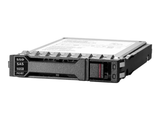
Lightning Precision in a Small Frame: Unleashing the Power of HPE’s 960GB Secure U.3 NVMe Engine
Precision Reinvented: A Deep Dive into the HPE 960GB 2.5-Inch SFF Digitally Signed Firmware NVMe U.3 …Dec 7th 2025 -
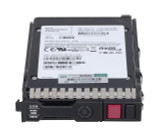
Velocity in a Drive: Unleashing the Power of the HPE 960GB U.3 NVMe Read Intensive SSD for ProLiant Gen10 Plus Servers
HPE 960GB 2.5" SFF NVMe U.3 PCIe High Performance SCN Read Intensive SSD for ProLiant Gen10 Plus Ser …Dec 6th 2025 -
Speed Forged in Silicon: The HPE 960GB U.3 NVMe Smart Carrier SSD That Transforms ProLiant Performance
Ignite Server Efficiency with the HPE 960GB SFF U.3 NVMe Smart Carrier Read Intensive SSD A performa …Dec 5th 2025